
~/PROJECT
Custom Roslyn Analyzer: Enforcing Code Quality in Visual Studio
I was Software Engineer @ Orion Innovation and it took us 2 months to Deployment .
- Roslyn Compiler Platform
- Static Code Analysis
- Visual Studio Extensions (VSIX)
- MEF Extensibility
- Developer Tooling
- Code Quality & Standards
This is a custom Visual Studio extension I built for Orion using Roslyn to enforce code quality guidelines in real-time, when the developer is coding, preventing enterprise-level failures.
Overview
Orion needed an automated code quality analyzer that’s beyond manual reviews and tools like ReSharper (which was not enough because of its limitations). I developed a VSIX extension with Roslyn compiler platform, catching issues early and to reduce errors, standardize code, and avoid costly bugs in mission-critical apps. This custom solution, aligned perfectly with Orion’s developer handbook.
Architecture
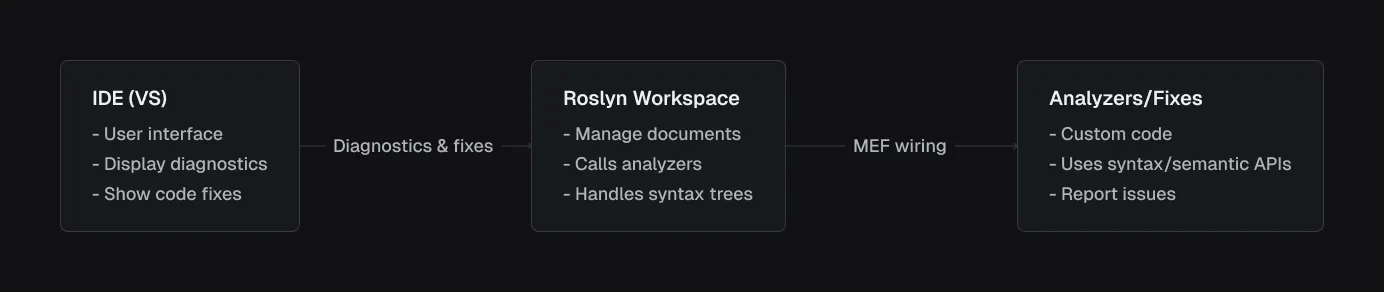
Roslyn is Microsoft’s open-source .NET Compiler Platform, a complete rewrite of the C# and VB.NET compilers. Unlike traditional compilers (black boxes), Roslyn exposes APIs for parsing, analyzing, and transforming code. This enables tools like analyzers to hook into the compilation process.
Why Roslyn?
- Real-time Analysis: Integrates with the IDE for live feedback using MEF.
- Syntax and Semantic APIs: Parse code into trees and understand meaning (e.g., types, constants).
- Extensibility: Build custom analyzers without rewriting the compiler.
Extensibility: MEF for Roslyn & Visual Studio 2013 Integration
To make Roslyn analyzers work in Visual Studio, we needed a way to discover and load them dynamically. This is where MEF (Managed Extensibility Framework) come in, enabling the extension to plug into Roslyn seamlessly.
MEF: Discovering Analyzers
MEF is a .NET component for building modular apps, allowing “composing” from loosely coupled plugins at runtime. In Roslyn, analyzers are MEF components. In our implementation classes are marked with [ExportDiagnosticAnalyzer] (an MEF attribute), exporting them for specific languages. The composition container scans the DLL at runtime and wires them to Roslyn.
VSIX: Packaging and Deployment VSIX is the standard packaging format for VS extensions, bundling the analyzer DLL for easy installation.
Together, MEF and VSIX turns Roslyn analyzers into deployable VS extensions, enabling real-time code quality enforcement without modifying VS core.
Example of one of the rules: “Constant” usage analyzer
This analyzer scans local variable declarations (e.g., int x = 5;). If the variable is initialized with a constant value and never modified, it flags it as a warning, suggesting const int x = 5;. Constants improve readability (clear intent) and performance (compile-time resolution). Orion’s developer code quality handbook emphasized minimizing mutable state, so this enforces it.
Implementation overview
There are two parts to implementing each rule, one is the Analyzer - which essentially goes through the code and detects if the code adheres to the rule and the second one is Code Fixer which makes changes to the tree to correct the mistakes made by the developer.
Analyzer: Detecting non-constant variables
In the Roslyn ecosystem, analyzers act as inspectors during code compilation, examining the syntax tree and semantic model to identify patterns. For the constant usage analyzer, it checks local variable declarations to see if they can be made const - meaning the variable is initialized with a compile-time constant and remains unchanged throughout its scope. This promotes immutability and performance. Roslyn call the analyzer on relevant syntax nodes, providing tools like semantic analysis for deep inspection. The analyzer reports diagnostics if the variable qualifies, integrating seamlessly with VS for real-time feedback.
To implement this, the analyzer uses MEF attributes for registration: [DiagnosticAnalyzer] marks it as an analyzer, and [ExportDiagnosticsAnalyzer(DiagnosticId, LanguageNames.CSharp)] exports it for C# via MEF’s composition container, ensuring Roslyn discovers it without manual setup.
Here’s the core AnalyzeNode method:
public void AnalyzeNode(SyntaxNode node, SemanticModel semanticModel, Action<Diagnostic> addDiagnostic, CancellationToken cancellationToken){    var localDeclaration = node as LocalDeclarationStatementSyntax;
    // ignore all constant declaration    if (localDeclaration.Modifiers.Any(SyntaxKind.ConstKeyword))    {        return;    }
    // filter out only local declaration with constant value    foreach (var variable in localDeclaration.Declaration.Variables)    {        var initializer = variable.Initializer;        if (initializer == null)        {            return;        }
        var constantValue = semanticModel.GetConstantValue(initializer.Value);        if (!constantValue.HasValue)        {            return;        }    }
    // ensure there is no reassignment of values for the declared variable through data flow analysis    var dataFlowAnalysis = semanticModel.AnalyzeDataFlow(localDeclaration);    foreach (var variable in localDeclaration.Declaration.Variables)    {        var variableSymbol = semanticModel.GetDeclaredSymbol(variable);        if (dataFlowAnalysis.WrittenOutside.Contains(variableSymbol))        {            return;        }    }
    // once it meets all expectation then add the diagnostic    addDiagnostic(Diagnostic.Create(Rule, node.GetLocation()));}
This method first casts the node to access declaration details. It skips if already const and for each variable it verifies an initializer exists and is a constant via GetConstValue(). Data flow analysis checks for external writes. If all pass, it reports a diagnostic for VS to render.
Code Fix: Applying the const modifier
Code fixes in Roslyn transforms the syntax tree to correct issues, providing automated refactoring. For constant usage, the fix adds the const keyword to the eligible declarations, preserving code structure and formatting. Roslyn ensures immutability, creating new trees instead of mutating existing ones.
MEF registration uses [ExportCodeFixProvider(DiagnosticId, LanguageNames.CSharp)] to link the fix to the analyzer’s diagnostic, allowing VS to offer it contextually.
Here’s the core MakeConstAsync method:
private async Task<Document> MakeConstAsync(Document document, LocalDeclarationStatementSyntax localDeclaration, CancellationToken cancellationToken){    // remove the leading trivia from the local declaration    var firstToken = localDeclaration.GetFirstToken();    var leadingTrivia = firstToken.LeadingTrivia;    var trimmedLocal = localDeclaration.ReplaceToken(firstToken, firstToken.WithLeadingTrivia(SyntaxTriviaList.Empty));
    // create a const token with the leading trivia    var constToken = SyntaxFactory.Token(leadingTrivia, SyntaxKind.ConstKeyword, SyntaxFactory.TriviaList(SyntaxFactory.ElasticMarker));
    // insert the const token into the modifiers list, creating a new modifier list    var newModifiers = trimmedLocal.Modifiers.Insert(0, constToken);
    // produce the local declaration    var newLocal = trimmedLocal.WithModifiers(newModifiers);
    // add an annotation to format the new local declaration    var formattedLocal = newLocal.WithAdditionalAnnotations(Formatter.Annotation);
    // replace the old local declaration with the new local declaration    var oldRoot = await document.GetSyntaxRootAsync(cancellationToken);    var newRoot = oldRoot.ReplaceNode(localDeclaration, formattedLocal);
    // return document with the transformed tree.    return document.WithSyntaxRoot(newRoot);}
This method handles trivia by removing from the first token and attaching the new const token. Inserts const into modifiers, applies formatting, and replaces the node in the tree. This ensures clean, and correct code change.
flowchart TD
    A("`Developer types code:
      int x = 5;
      `"
     )

    B("VS parses with Roslyn:
       Builds Syntax Tree (LocalDeclarationStatement)"
     )

    C("MEF loads extension:
       Scans DLL -> Registers Analyzer"
     )

    D("Roslyn calls analyzer:
       AnalyzeNode(node, semanticModel, addDiagnostic)"
     )

    E("`Analyzer checks:
        - Not const? ✓
        - Constant value? ✓ (5 is literal)
        - Not written outside? ✓ (only read)`")

    F("Reports diagnostic:
       Warning: "Make constant""
     )

    G("User applies fix:
       Code fix provider modifies tree -> "const int x = 5;""
     )

    H("VS updates editor")

    A --> B
    B --> C
    C --> D
    D --> E
    E --> F
    F --> G
    G --> H
This code quality VS extension transformed code quality enforcement from manual to automatic, saving time and improving consistency.

Hey thank you for coming out here and checkin’ out my projects, I’m always curious to know what you think about them. Please get in touch with me if you have any query and do explore more of my projects. You can see some under “Featured projects”.
Featured projects
2023 / Tier
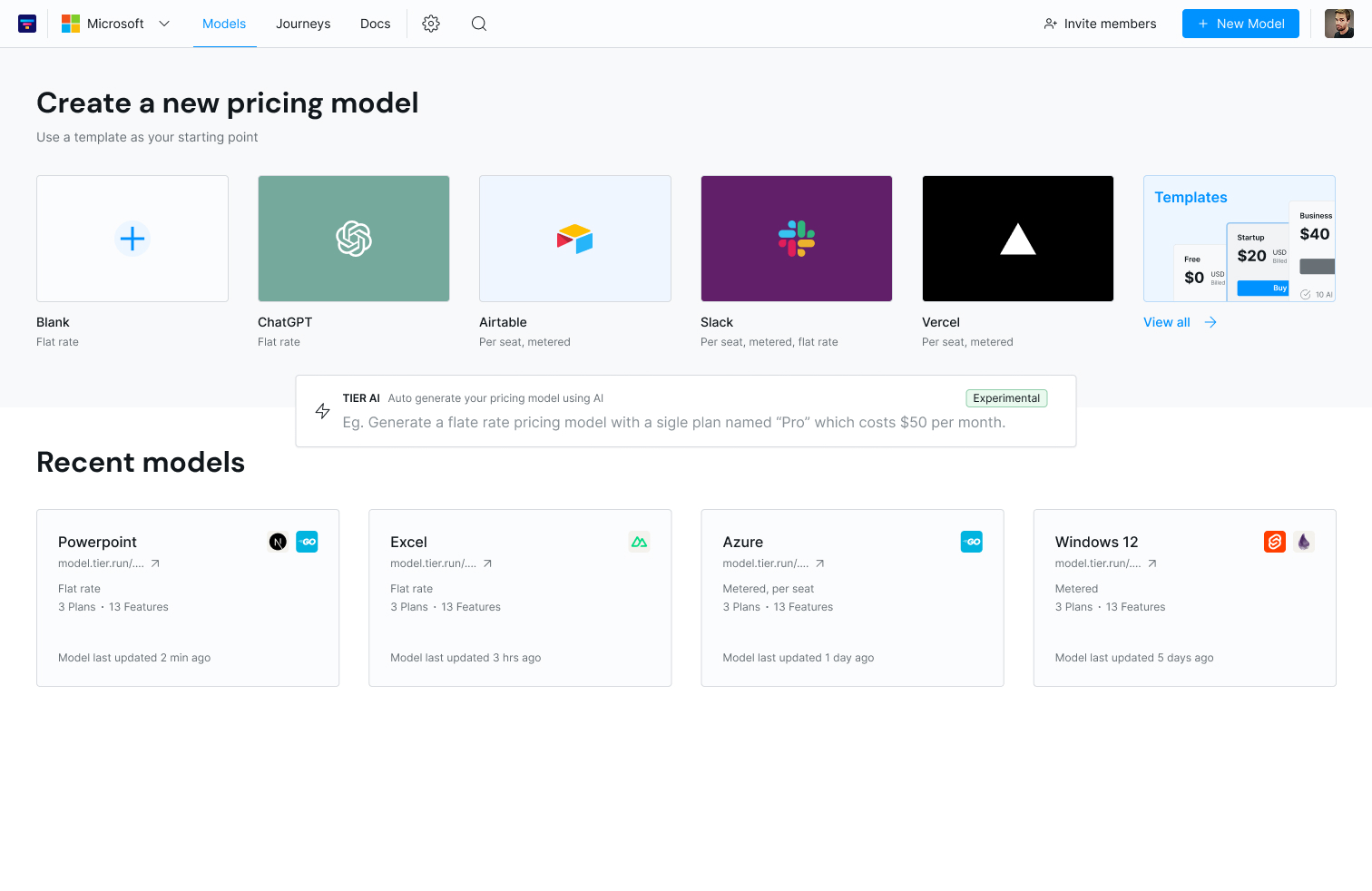
Tier Cloud
Collaborative web app to model, review, and version pricing; push updates to Stripe; and auto‑generate SDK integration guidance - no manual pricing.json edits.
2021 - 2022 / Incredible
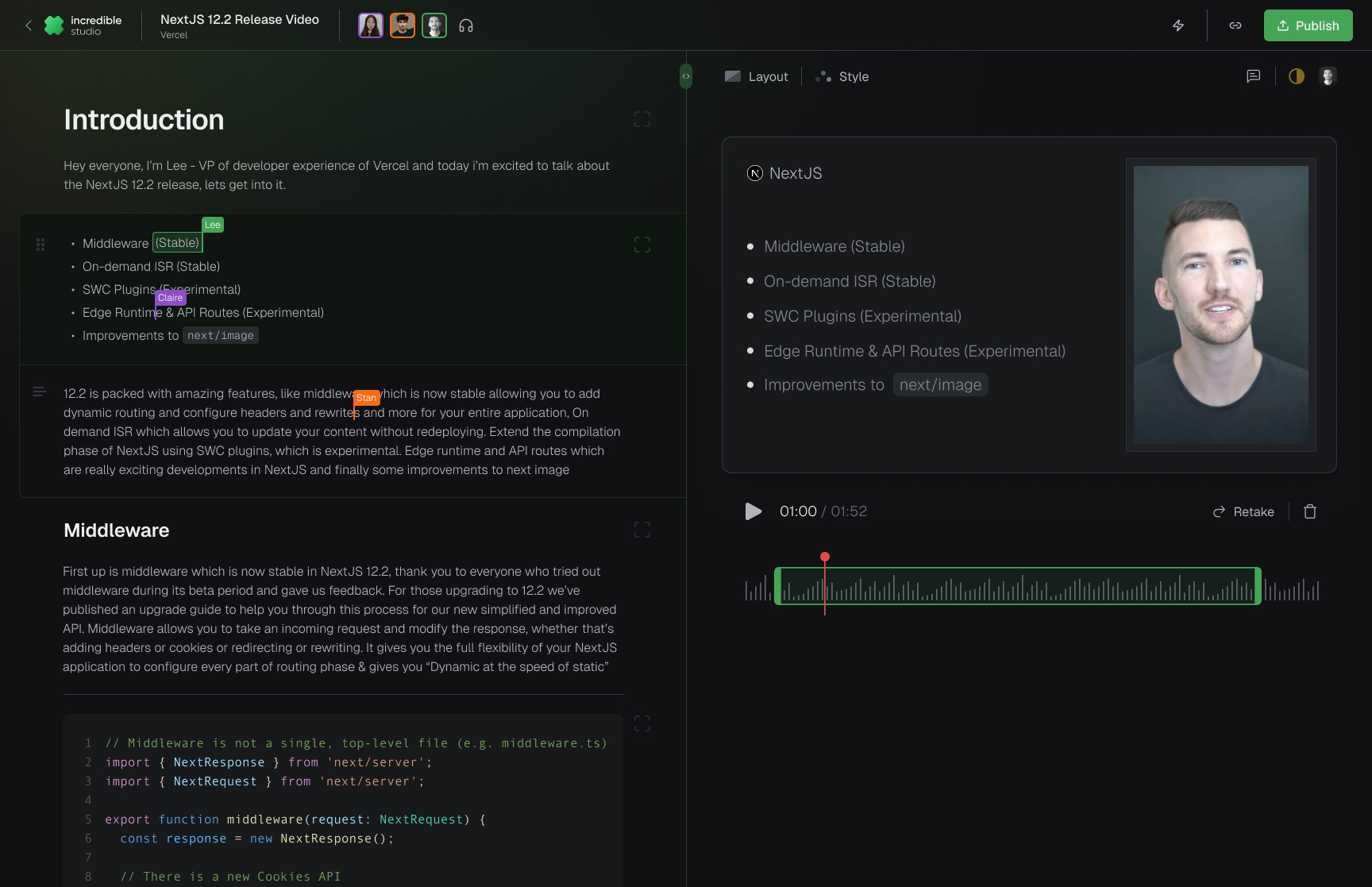
Incredible Studio
End‑to‑end workspace for scripting, block‑by‑block recording, lightweight edits, and publishing with collaborative assignments and async workflows.
2015 - 2017 / CatalanLabs
Strata
A spatial computing (3D windowing) architecture built from scratch on Wayland + EGL; spatially anchored windows with occlusion ordering, and uses basic 6DOF and gesture inputs with a custom compositor.